


Collect
Screenshots & video
Detect categories, review names and confirm activity-specific results.

For Community owners, leaders and members
Upload Last War screenshots or videos, review the readings, and track weekly contributions in one place. Export your reports and build editable battle plans for your alliance.
Alliance operations
People, priorities, and progress in one place.
Season 7 · Advance preview
Choose your strategic role. Prepare Carlie, McGregor and Murphy for Awakening. Discover what changes on the battlefield.
Foundation Community module
From alliance results to a clear contribution history. Import screenshots or video, organize evidence by week and give staff the context to recognize effort and review shortfalls.
VS, donations, DS/CS, kills and other available alliance events—with the right metrics for each report. Missing data stays unknown; rank changes remain a staff decision.
Foundation module · available with active Community access.
Collect
Detect categories, review names and confirm activity-specific results.
Connect
Link names and aliases with profiles and Alliance Power, without requiring a configured profile.
Compare
Review weekly progress, alliance averages, targets and staff rank-review suggestions.
Organize
Keep absences, train proposals and optional Discord announcements connected.
Choose your view
Everyone shares the same operation, but nobody has to fight through tools that do not belong to them.
One operational loop
Information becomes useful when it moves cleanly from preparation to action—and comes back as context for the next operation.
Keep identities and power current.
Build assignments and objectives.
Publish, check in, and adapt live.
Turn activity into the next decision.
Not another static dashboard. Objectives, responses, assignments, and tactical updates stay connected while the operation is active.
Active operation
Current phase
Rotation window
Tactical update
North route stable. Mobile Team rotates to the pressured objective, then returns to the center assignment.
Response board
Ready
DOUBLEW
Delayed
Phoenix
Reserve
Shadow
Live timeline
Publish the objective and priority order.
See who is ready, delayed, or available as reserve.
Keep every member connected to the right action.
Carry the result into the next leadership decision.
Explore the operating system
Move through the platform by purpose. Each view shares context without exposing controls or information to the wrong role.
Season and live work
Season context, operation objectives, owners, due dates, check-ins, and tactical updates stay attached to the work they describe.
Season operation · active
Server 101 vs Server 284
Our roster
Opponent roster
Flagship system
Generate balanced assignments, preserve priority-building logic, show rotations and substitutes, edit mistakes, and deliver both the readable strategy and the tactical map to the configured Discord channel.
👥 Alliance Power
Roster updatedLeadership intelligence
Power history, recruitment, council decisions, diplomacy, opponent intelligence, Community health, and weekly digests live inside controlled workspaces built for leadership.
Web first. Discord enhanced.
The web platform works independently. Connect Discord to add commands, role panels, reminders, operation check-ins, translation, giveaways, reports, battle-plan delivery, and automated digests.
🎫 Alliance Roles
Click a role to join — click again to leave
Fire Legion
Attack-focused players
Iron Shield
Defense specialists
War Hawks
PvP enthusiasts
Scouts
Intel & recon
Access that gives back
Useful participation can earn points without payment. Members reach rewarded milestones or donate within safe limits to shared Community Goals; owners can choose a trial, redeem points, or activate All Access.
Discover Joy Store
Explore gifts for a friend or yourself, base skin options, and top-up offers from Joy. If you plan to use an eligible UR Gift toward LW Agent access, confirm the separate credit value with the LW Agent developer first.
Explore Joy Store →


Build your formations, keep your hero progress and resources together, then see which upgrade deserves your attention next.
Arrange heroes and track their gear, stars and awakening.
Enter resources or read screenshots and review the results.
Set priorities and see what you have—and what is missing.
Sign in or register to save your progress.
 Personal Command Desk
Your formation
 1
1Williams
 2
2Murphy
 3
3Stetmann
 4
4Marshall
 5
5Kimberly
Current resources
 Coins
Coins Food
Food Iron
Iron Oil
OilNext step
Plan your upgrade
Compare what you need with what you already have.
Your LW Agent intelligence workspace brings players, alliances and servers together with SvS and Seasons planning. Review observed THP and trends, compare opponents, and save rosters when you choose.
Personal Premium includes Game Intel, personal screenshot imports and the advisor. Community Premium is separate.
LW Agent workspace
Game IntelSortable results, progression, recorded shields and last locations.
Membership, strength, growth and comparisons.
Observed leaders, cohorts and server comparisons.
Use saved rosters in Community planning. Observations are not live; updates typically arrive every Saturday at game server reset.
Game Hub
Follow game updates and events, then go deeper with practical strategy guides. Everything is organized by topic, with interactive guides one click away.
Learn by exploring
Real choices, illustrated examples and practical tools. Find your formation, refine your build, or explore the battlefield.
Choose your fight. Explore mono, 4+1 and mixed squads for PvP, PvE, Wanted and Crystal.
Explore interactive guide →
Compare permanent Core pairs and plan your next upgrade.
Explore interactive guide →
Explore card families and build around your combat role.
Explore interactive guide →
Explore skill trees and plan how to spend your points.
Explore interactive guide →
Learn objectives, battlefield priorities and team coordination.
Explore interactive guide →
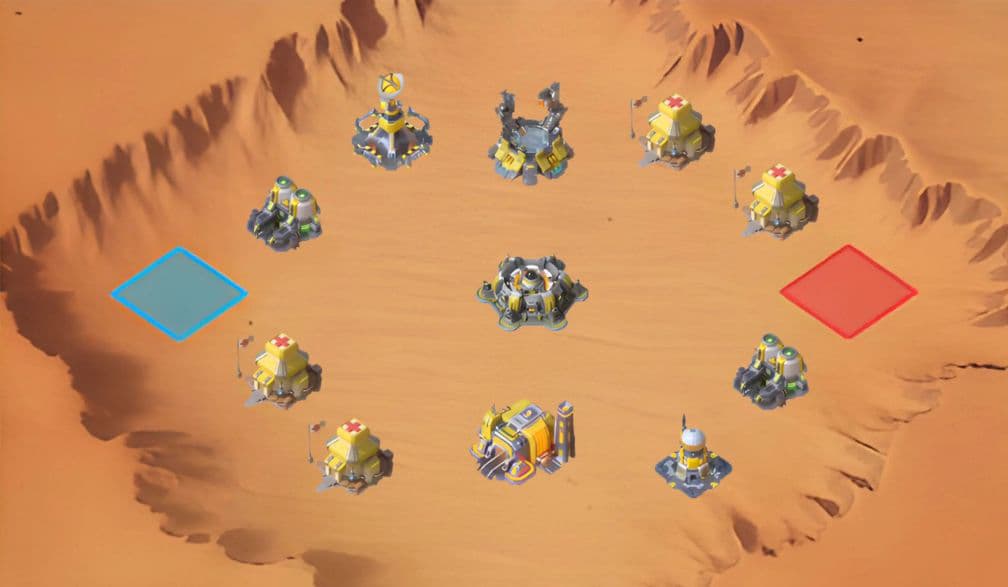
Explore the canyon and understand each team’s objectives.
Explore interactive guide →
Explore strongholds, map objectives and alliance strategy.
Explore interactive guide →Help that stays visible
Documentation, direct support, feedback, and the complete change history remain part of the product—not an afterthought hidden in the footer.
Troubleshooting, contact paths, FAQ, and the right next step.
Get support →✦Report an issue, suggest an improvement, or share an idea.
Open feedback →Your Community. One command center.
Start Free with a Community Premium trial, choose the modules that fit, and connect Discord only when it adds value.


